Design Copilot
Most of what a team needs is already in the library. This tool helps you find it before you draw it again.
Teams keep rebuilding things they already have
Designers redraw what the library already covers. Engineers rebuild what design forgot was there. Everyone sees the polish and nobody sees where it came from. After enough of that, the system stops being a system.
| Brief | Search | Build | Handoff | |
|---|---|---|---|---|
| What happens | A goal lands | Someone digs through Figma | They draw it again | It goes to engineering |
| Where it breaks | Nobody knows what exists | Names have drifted | It's a copy of something | Nobody knows why |
| What it costs | Re-scoping | Hours | A second version to keep alive | A round of rework |
One tool, two ways in
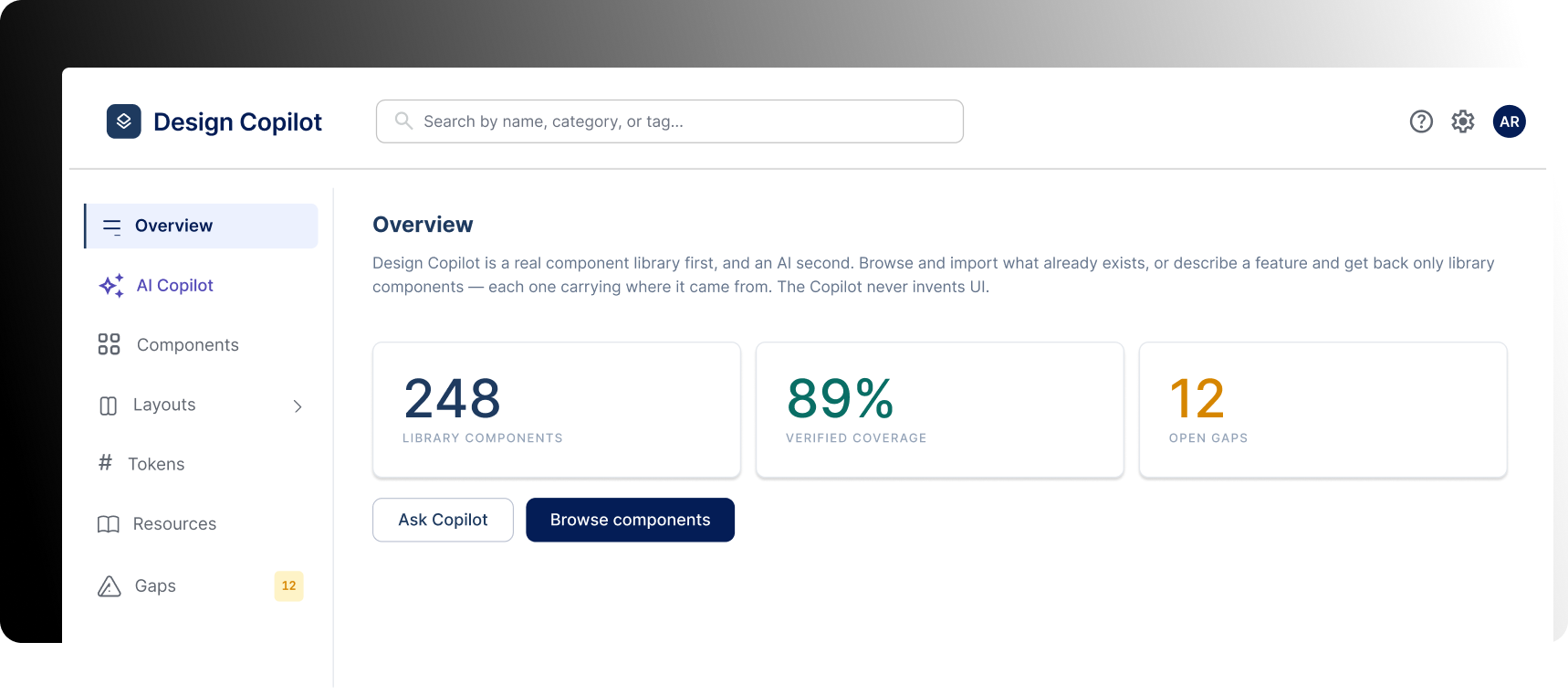
Both ways end in the same place: a real component from the real library.
Search and import
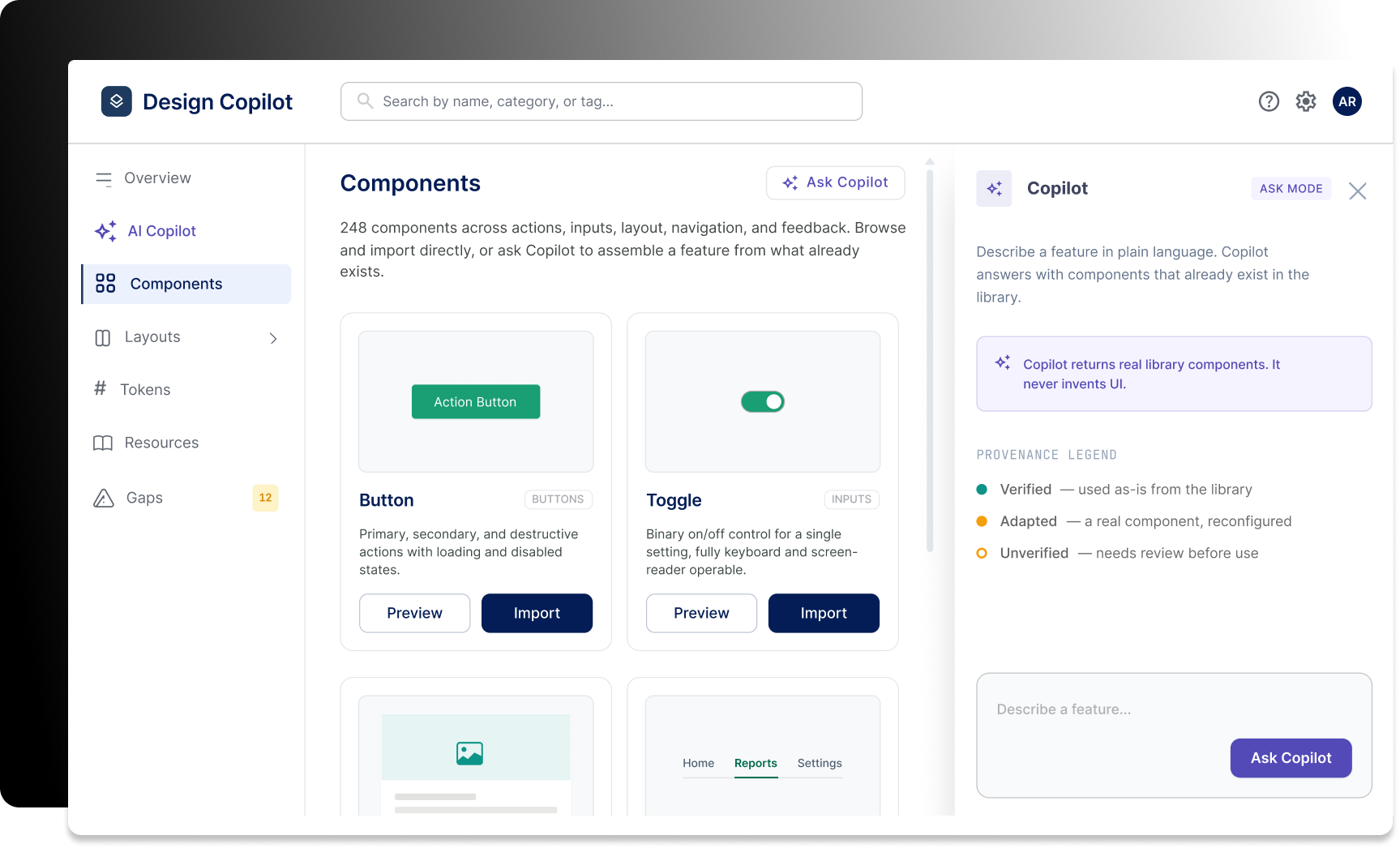
Look for a component by tag, prop, or what it looks like. Bring it straight into the file.
Say what you need
Describe the job in plain words. The tool matches it to components that already exist and hands back a layout.
Four calls that shaped the tool
Each one had a cheaper option. Here's why I didn't take it.
Everything has to resolve to a real component
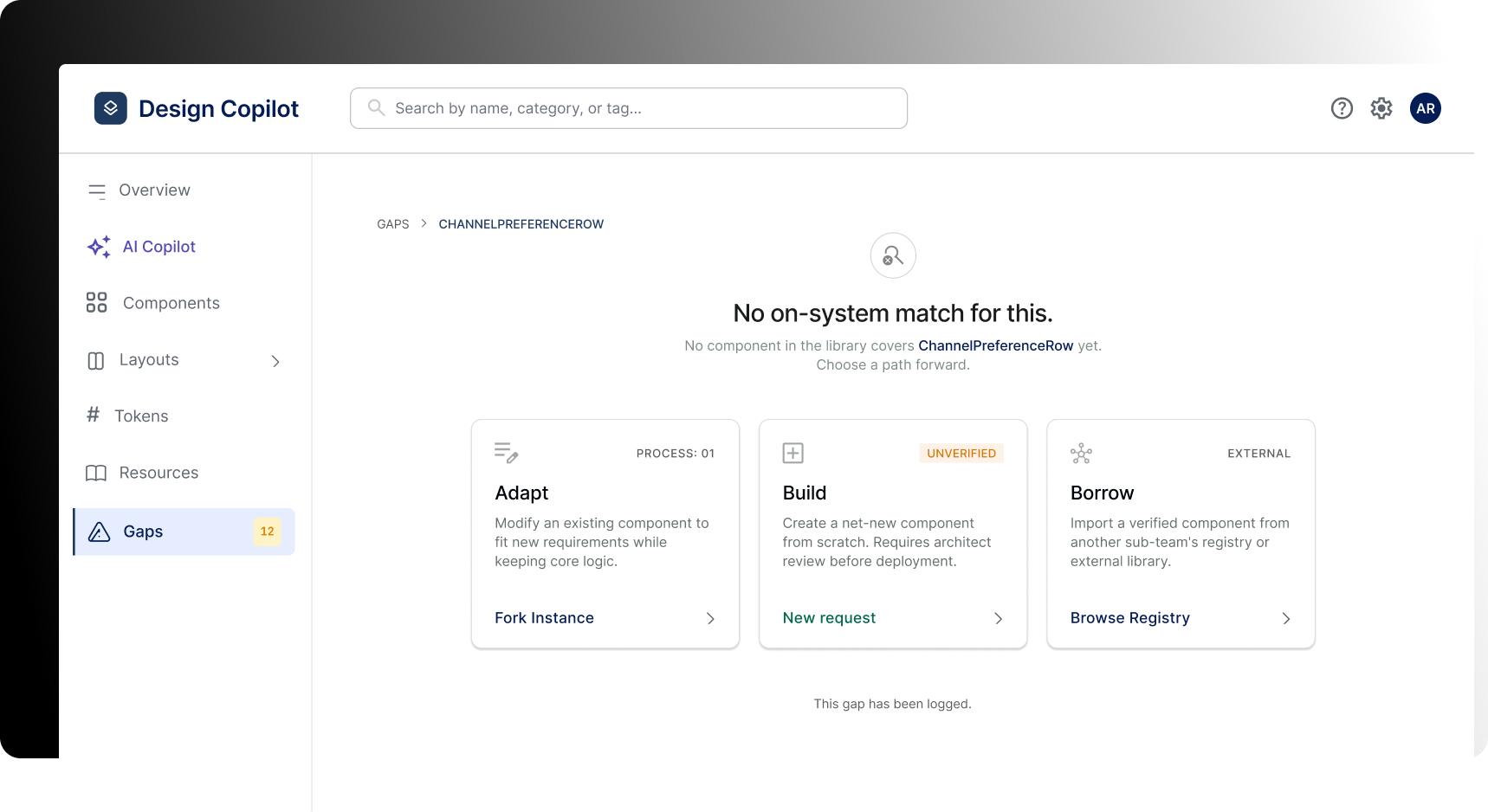
Making a new component is not a button
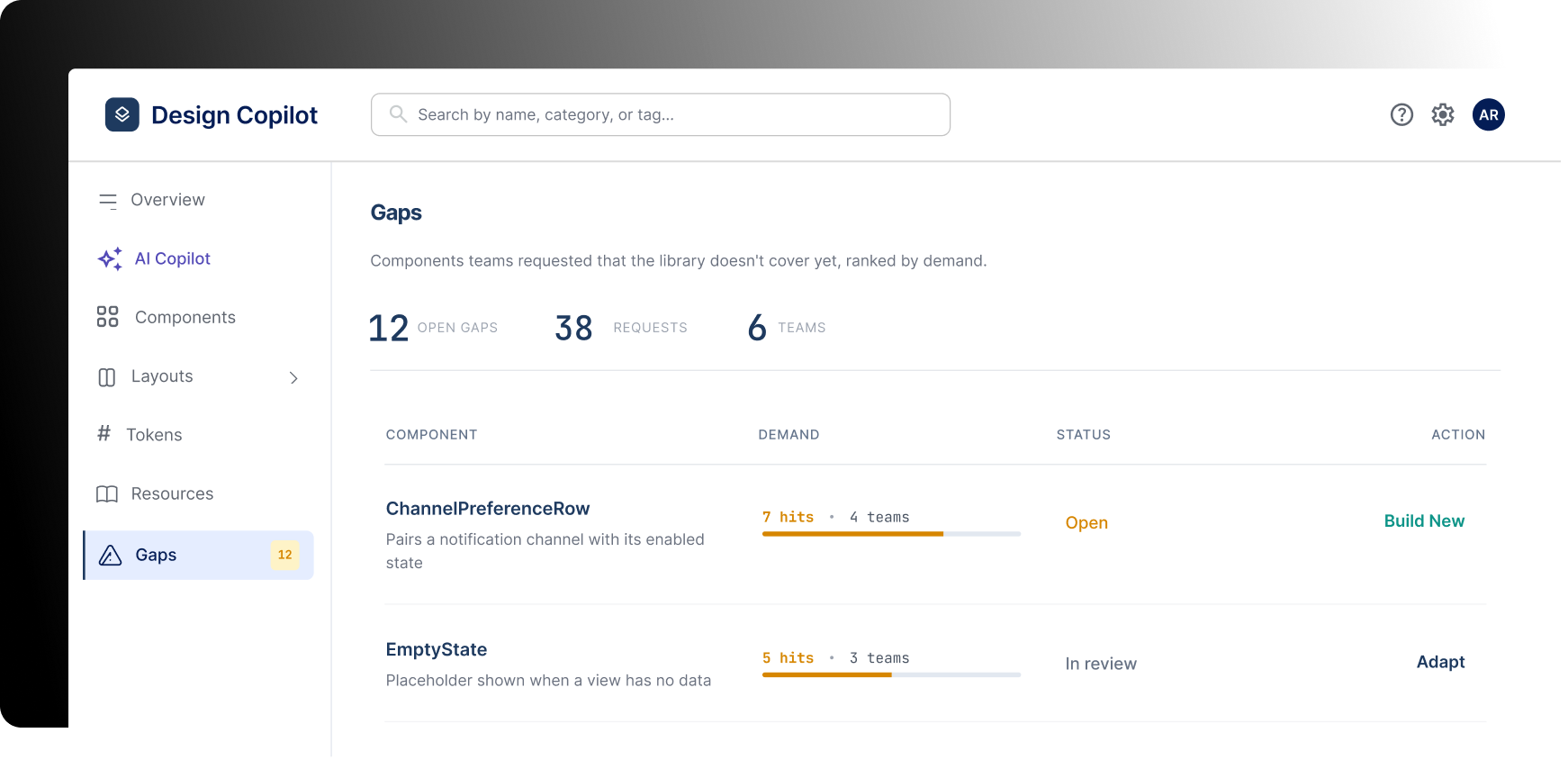
Show where a result came from
The same question gets different answers
Three layers
Library
The source of truth. React components and Figma tokens, kept in sync.
Navigator
Reads props, states and accessibility rules, then matches a request to what's there.
Workspace
Where you preview, check and export.
What actually happens when you ask
Two doors in, one door out. Both go through the library.
Same question. Four answers. Nobody has to translate for anyone else.
It wins two rows out of six
Storybook already does documentation better than this ever will, and it exists. Copilot only beats it on the two rows nobody else is playing: finding something by describing it, and saying out loud what's missing.
| Figma Dev Mode | Storybook | Zeplin | Design Copilot | |
|---|---|---|---|---|
| Documents components | Some | Best there is | No | Doesn't try. Reads Storybook. |
| Real code you can ship | Snippets | Yes | Snippets | Points at yours |
| Find something by describing it | No | No | No | Yes |
| Tells you what's missing | No | No | No | Yes |
| Works today | Yes | Yes | Yes | No. It's a concept. |
| Cost to set up | Low | High | Low | High. Needs a clean library first. |
The honest read: this only makes sense for a team whose library is already good and already ignored. If the library is a mess, fix that first.
Nobody has used this yet
The decisions above are arguments, not results. Three things would tell me if the argument holds.
- 01Watch five designers search the library and count what they miss
- 02Check whether the match is right often enough to trust
- 03Find out if the review gate slows people down or saves them